



Collect and Display Reviews Effectively to Sell More
Learn best practices for collecting and displaying customer reviews to enhance your shop's visibility, boost conversions, and build trust with shoppers.
Google Shopping offers online shops the chance to boost visibility, drive traffic to their websites, and increase sales. E-commerce businesses can promote their products on the world’s most popular search engine with paid ads as well as free listings. In today’s article, we’ll share five tips on making the most out of Google Shopping’s free listings.
Table of Contents:
Before we begin, consider downloading our free guide on Google Shopping, which covers everything you need to know about the popular platform, including both free listings and paid ads:
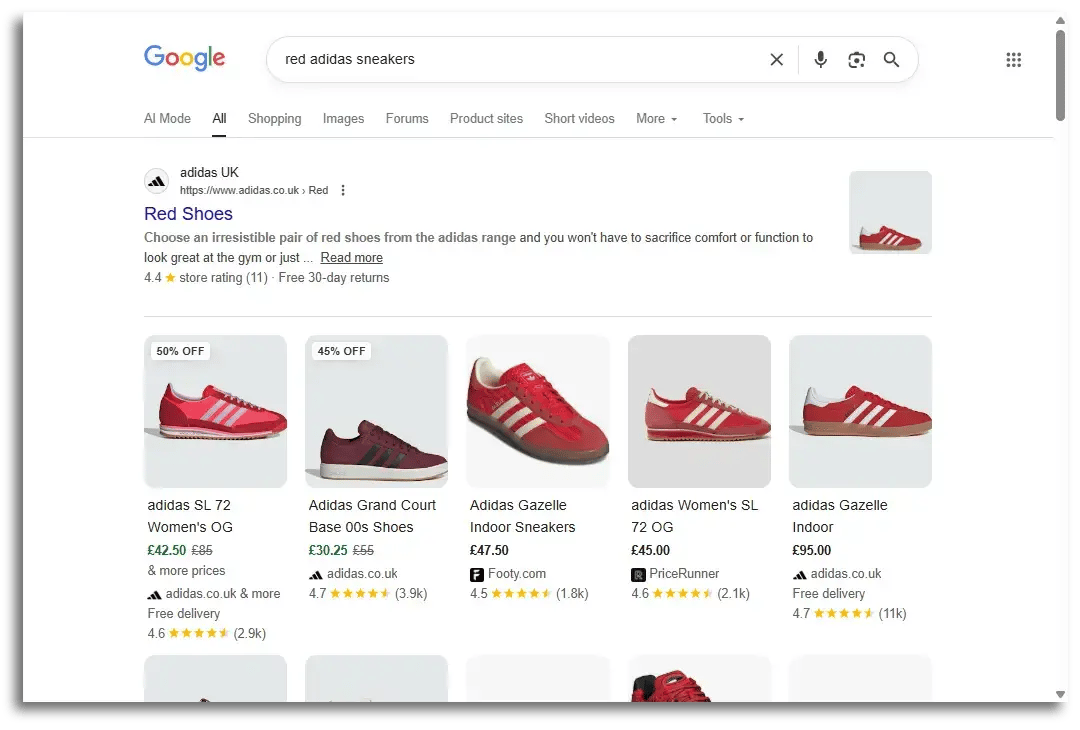
Google Shopping free listings appear throughout Google’s search results when the search engine identifies that a query is related to a product search. A Google Shopping free listing includes a product title, a product image, the price, the retailer’s name, and sometimes other information (e.g. discount %, product ratings, etc.).
When Google recognises a potential product search, it will then display Google Shopping listings in the results. Usually, Google will prioritise displaying paid ads, but it often pushes free listings right below them as well.
Recommended reading:
How Long Tail Keywords Can Boost Organic & Paid Traffic
Google Shopping free listings can appear throughout the Google platform. In the example below, you will see free listings in the standard search results:
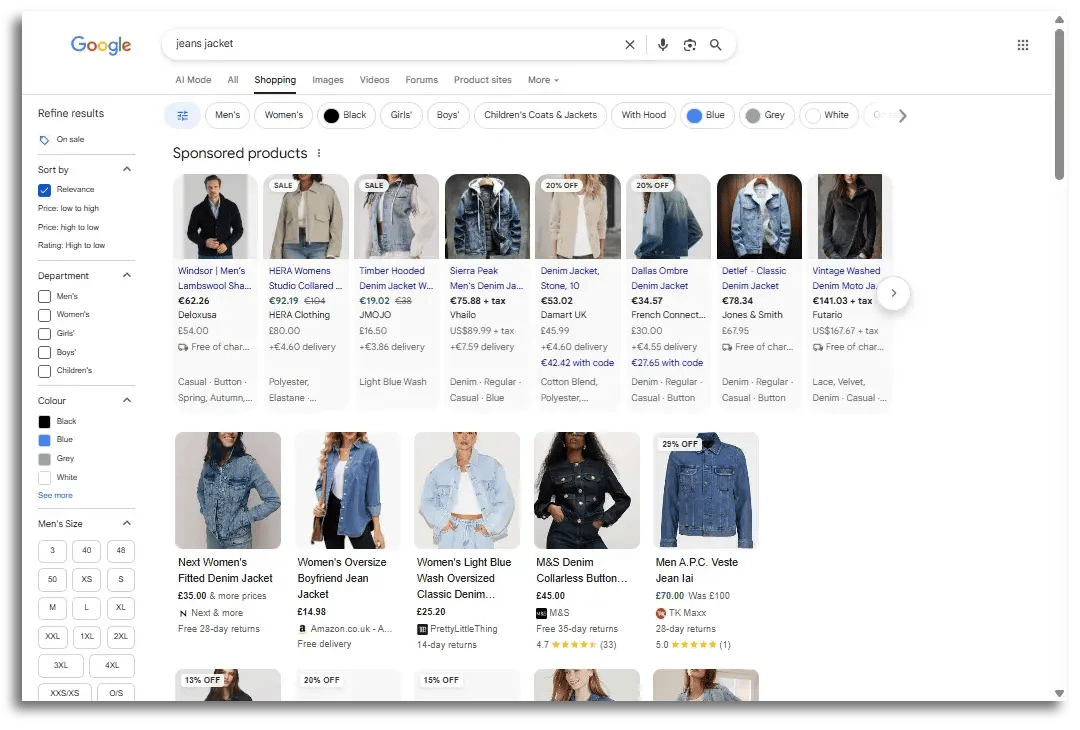
Next is an example from the dedicated Google Shopping platform. Please note that the first row contains Google Shopping ads (labelled “Sponsored”). Below the ads, you will find the free listings:
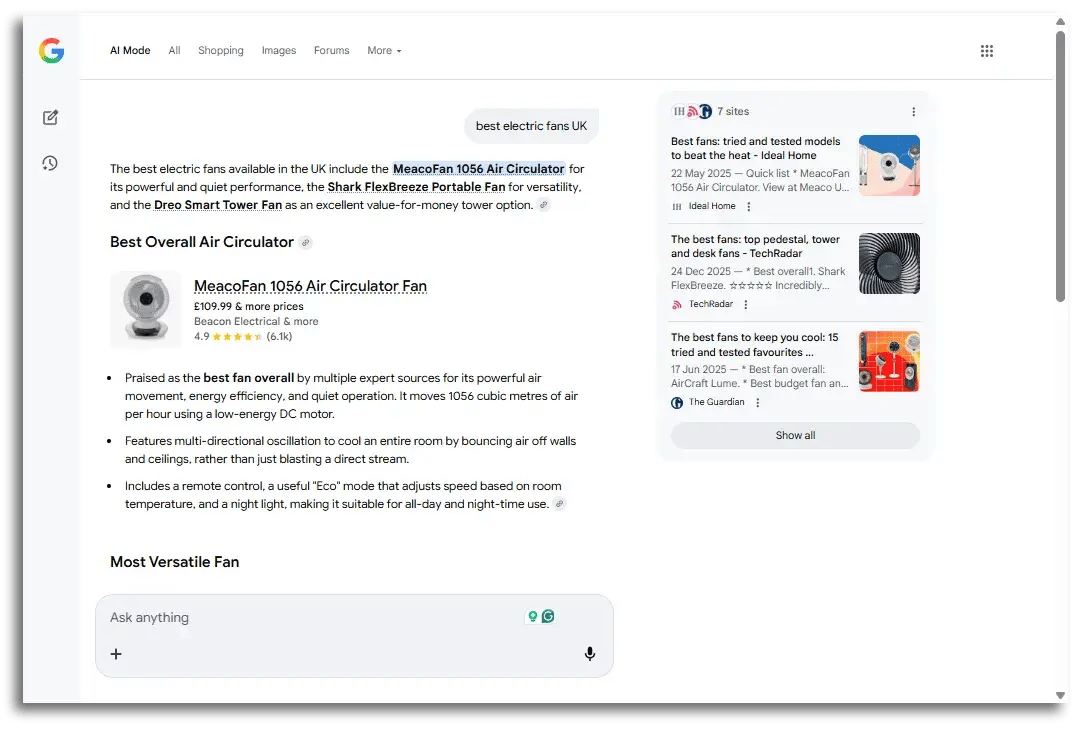
Free listings can even be displayed in image searches (images.google.com) if Google deems it appropriate. With “AI Mode” becoming more and more popular, users can even see Google Shopping listings appearing in those responses as well. Here is an example from the “AI Mode” tab that promotes fans from Meaco:
In order for a shop’s products to be featured in Google Shopping, whether it’s a paid ad or a free listing, the shop must be registered in the Google Merchant Centre. In addition to that, they must upload their product feed to Google.
Getting seen in these results is similar to SEO. There is a lot of competition, so following a few best practices can improve the chances of ranking higher in those results.
Let’s look at 5 tips to get your shop’s free listings to appear higher in the search results and inspire more clicks (and sales!).
Your Google Merchant Centre setup is the foundation for success with Google Shopping. If it’s not configured correctly or your product data is incomplete, you’re leaving visibility (and sales) on the table.
Start by making sure your Merchant Centre account is fully set up, verified, and eligible for free listings. This includes verifying and claiming your website, enabling “Surfaces across Google,” and ensuring your business information, shipping settings, and tax details are accurate. Even small setup errors can prevent products from appearing at all.
Once the basics are in place, focus on product data quality. Google rewards complete and accurate product feeds. Use the most precise product attributes available, including brand, GTIN, condition, colour, size, material, and age group where applicable. The more context you give Google, the better it can match your products to relevant searches.
Correct categorisation also plays a key role. Choose the most specific Google product category for each item instead of relying on broad or generic options. This improves eligibility for relevant search queries and helps your listings appear alongside the right competitors.
Avoid leaving optional fields empty. While some attributes aren’t mandatory, they often improve performance, especially for apparel, variants, and branded products. Merchant Centre will highlight missing attributes and data quality issues, so review these warnings regularly and fix them promptly.
Speaking of which, make sure to regularly check diagnostics, resolve errors, and update product data as your catalogue changes. A well-optimised Merchant Centre doesn’t just keep your products approved, it actively boosts your chances of appearing in Google Shopping free listings.
Your product title is one of the most important ranking factors for Google Shopping free listings. Unlike traditional SEO, Google Shopping relies heavily on your product feed data to understand what you’re selling and when to show your product to shoppers. This is especially true when it comes to your product title.
When optimising your product titles for search intent, focus on clarity first and marketing second. Think about a true user experience and how real people behave online. Consider which specific terms your target group is most likely use to find your products. Start with the most important information and work from general to specific.
A strong product title structure often looks like this:
Brand + product type + key attributes (model, material, colour, size, quantity)
For example, instead of a vague title like:
“Premium Running Shoes”
Use something more descriptive and search-friendly:
“Nike Men’s Running Shoes – Air Zoom Pegasus 40, Black, Size 10”
Google is more likely to understand your product and then match it with high-intent searches.
Don’t keyword stuff the title with unnecessary words like “Best seller”. Don’t use excessive capitalisation or punctuation (!!) either. This may actually hurt your chances of ranking higher in the results.
Your real estate is small and word order matters. Prioritise the most important words like the brand or model number (especially if they are well known) by placing them earlier in the title.
A well-optimised product title improves visibility, click-through rates, and overall performance. This makes them one of the easiest and most impactful optimisations you can make for Google Shopping free listings.
Source: Shutterstock/Rawpixel.com
Your product pages play a crucial role in how well your products perform in Google Shopping free listings. Even with a strong product feed, poor on-page optimisation can limit visibility and conversions.
Start with unique, high-quality product descriptions. Avoid copying manufacturer descriptions or reusing the same text across multiple products. Duplicate content makes it harder for Google to understand what makes each product unique and can reduce your chances of ranking. Instead, write original descriptions that clearly explain what the product is, who it’s for, and why it’s valuable, all while naturally incorporating relevant keywords that shoppers are likely to use.
From an SEO perspective, follow core product page best practices. Use a clear, keyword-focused product title (H1), supported by descriptive subheadings where appropriate. Ensure your URL structure is clean and readable, and include optimised meta titles and meta descriptions to improve click-through rates.
Your page’s loading speed matters too. Make sure they are mobile-friendly and offer a smooth user experience. High-quality images (more on that later), clear pricing, visible availability, and trust signals such as reviews and return policies all help both users and search engines.
Finally, ensure consistency between your product pages and your Merchant Centre feed. Product titles, pricing, availability, and key attributes should match exactly. This alignment builds trust with Google, reduces errors and disapprovals, and increases your chances of appearing in Google Shopping free listings.

We touched on product images in the previous tip, but they are so important that they deserve their own section.
Product images are one of the biggest drivers of clicks in Google Shopping. Shoppers can’t touch or try your products, so your images must replace this part of the shopping experience.
Start with clear, high-resolution images that accurately represent the product. Google recommends clean backgrounds, good lighting, and sharp focus. Avoid blurry photos, heavy filters, watermarks, borders, or promotional text, as these can reduce trust and may violate Google’s image guidelines.
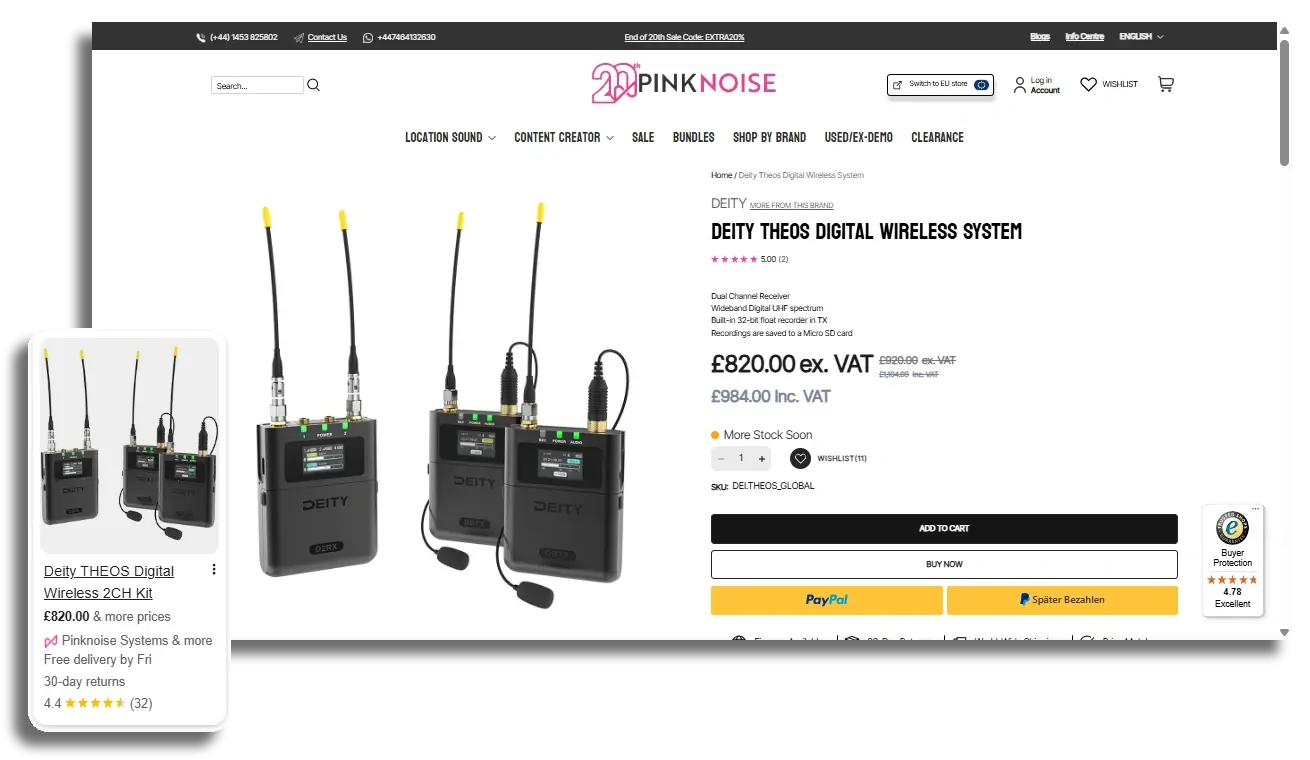
The images seen on the product page are also found in the Google Shopping free listing (left)
Source: Pinknoise Systems
Your main image should show the product clearly and prominently, ideally on a white or neutral background. Where possible, upload multiple images that show different angles, close-up details, and real-world usage. For apparel and lifestyle products, images of models using the product can significantly improve engagement. If you want to reduce returns, include details about the model (approximate height, weight, and size worn).
Recommended reading:
Reducing the Return Rate in the Online Fashion Industry
Consistency matters. Make sure your images match the exact product being sold, including colour, pattern, and variant. Mismatched images can lead to a poor user experience, higher bounce rates, and potential disapprovals in Merchant Centre.
Finally, optimise images on your website as well. Use fast-loading image formats, proper sizing, and descriptive file names and alt-texts to support SEO and page speed.
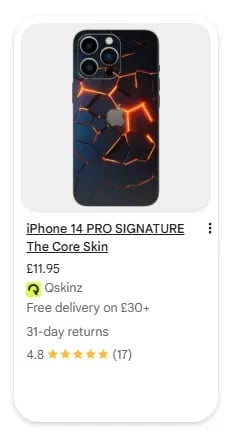 Product reviews are a powerful trust and visibility signal for Google Shopping free listings. When your products display star ratings, they stand out visually in the search results, attract more attention, and consistently achieve higher click-through rates compared to listings without reviews. Shoppers naturally gravitate toward products that are already validated by other buyers, as is the case with the reviews from this phone skin from Qskinz.
To be eligible for star ratings in free listings, you need to collect reviews through a Google-certified reviews provider. This ensures reviews are trustworthy, policy-compliant, and can be displayed directly in Google Shopping results. Simply having reviews on your website is not enough. Google must be able to verify and connect them to your product feed.
Volume matters. The more reviews you collect, the stronger the signal becomes. Aim to gather reviews consistently across your catalogue rather than only on a handful of products. Even a mix of positive and neutral feedback builds credibility and helps shoppers make informed decisions. Make review collection part of your post-purchase process with automated emails that encourage customers to leave feedback.
Recommended reading:
How to Collect More Online Customer Reviews and Boost Your Business
In addition to product reviews, it’s smart to collect store reviews as well. In the past, Google has displayed store ratings in Google Shopping free listings, and while this feature isn’t always active, it could return at any time. Having a strong online reputation via store reviews ensures you’re ready if it does.
Regardless of where they appear, store ratings improve on-site conversion rates by reinforcing trust, reducing hesitation, and showing new visitors that your business is reliable.

Google Shopping free listings can boost visibility, traffic, and sales when optimised correctly. By focusing on an optimised Merchant Centre, unique product titles, clean product pages, and consistent review collection, you’ll increase trust and conversions. Be sure to keep an eye on your listings and optimise them every once in a while!