



Collect and Display Reviews Effectively to Sell More
Learn best practices for collecting and displaying customer reviews to enhance your shop's visibility, boost conversions, and build trust with shoppers.
Search engines are still a vital source of traffic for online shops. Therefore, improving SEO and ranking higher in search engines like Google can benefit your sales immensely. Today, we’ll look at some SEO tips to help your brand get discovered more often in Google and other search engines.
Table of Contents:
SEO matters for e-commerce owners because ranking high in search engines improves:
Although consumers are starting to use A.I. to guide their shopping journeys, many of these platforms still rely on search engine results for research.
On top of that, search engines are still incredibly popular for product searches. Between Google’s standard search results and Google Shopping results, there are plenty of opportunities for shops to get more clicks.
Let’s look at some of those tips!
It all starts with your SEO foundations. Technical SEO ensures that search engines can crawl, index, and understand your website efficiently. This is particularly true for online shops that have hundreds (or thousands) of pages.
Pages that load quickly are not just beneficial for SEO, they’re crucial for a good user experience. A slow site can lead to higher bounce rates and lower conversions.
Tips:
Recommended reading:
7 Tips to Increase Your Online Shop's Page Loading Speed
With mobile shopping on the rise, Google has prioritised mobile-first indexing. Your site should look and function well on all screen sizes.
Tips:
Security is a ranking factor and a trust signal for shoppers. If your site isn’t using HTTPS, it’s time to make the switch.
Tips:
Search engines need to access your pages without issues. Broken links and crawl errors can hurt your rankings and frustrate users.
Tips:
Your individual product pages can rank in search results and Google Shopping results, and this is key to driving traffic to your website. With a higher ranking, you’ll not only improve traffic but also improve conversions.
Avoid copying manufacturers’ product descriptions. They’re often duplicated across multiple sites (i.e. your competitors) and don’t help your SEO. In fact, it does the opposite. Instead, write original content that includes relevant keywords your customers are likely to search for.
Tips:
These are the snippets that appear in all search results. Make them clear, relevant, and enticing to encourage clicks.
Tips:
Images help customers visualise products, but they also contribute to SEO when properly tagged.
Tips:
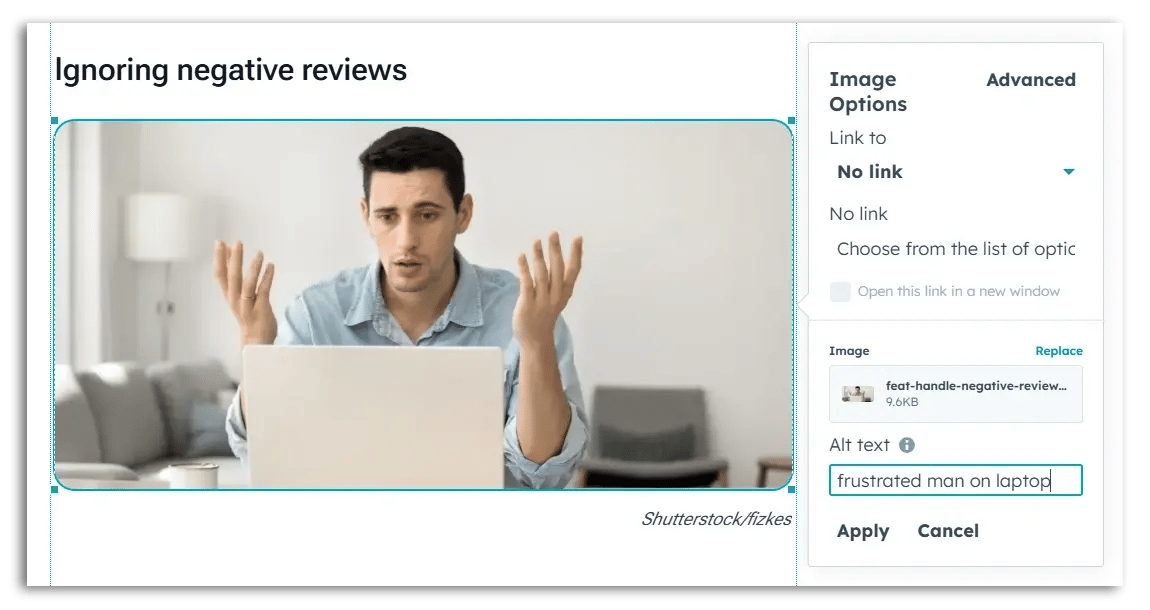
The alt-text on the right side describes a frustrated man on his laptop.
Customer reviews are a goldmine for SEO. They add fresh, user-generated content to your product pages and often contain natural keywords and phrases.
In the example below, the product review references "campervan conversions", a trending topic on social media and YouTube.
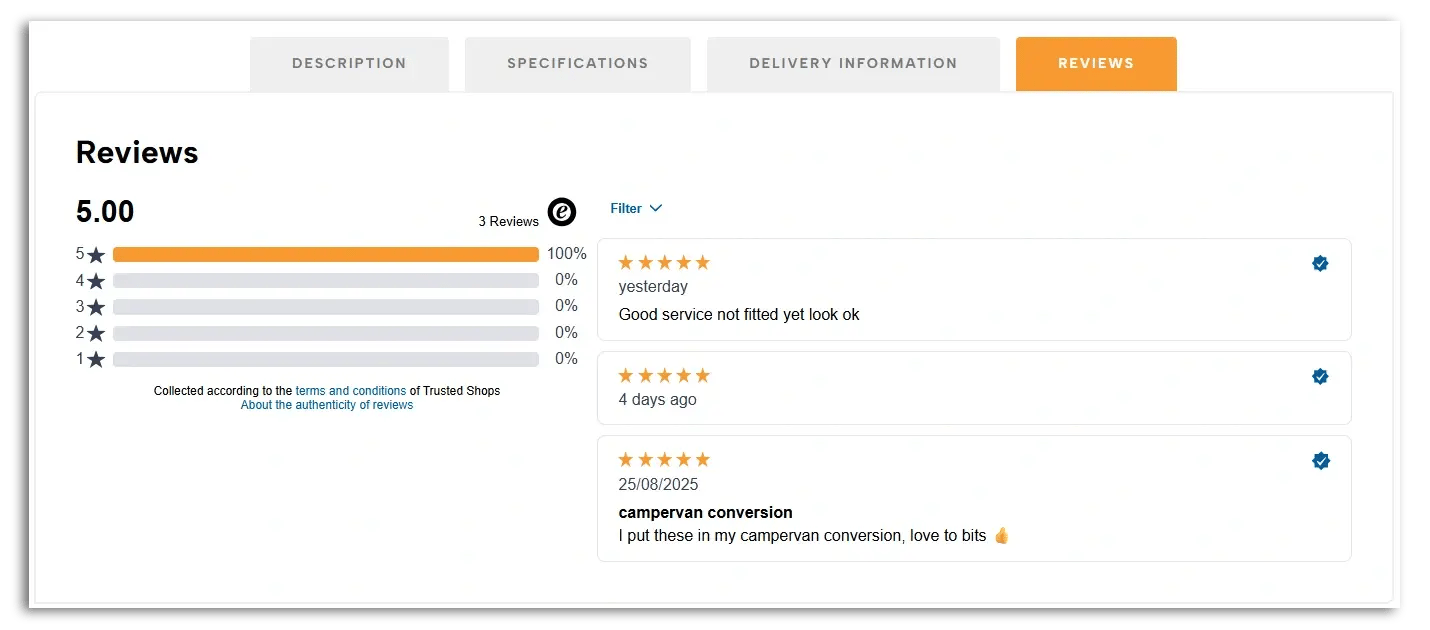
Source: Aten Lighting
Tips:

Much of the same advice from the previous tip applies to your homepage as well. For example, using important keywords for your industry or niche, creating unique content, and using alt-texts.
In the same way that product reviews can boost your product pages, service reviews should be collected and displayed on your homepage. Again, this boosts trust on your page, but if you use a Google-approved reviews partner, these store ratings could very well appear in search results when users research your company.

Store ratings show up in Google Ads, but also in organic results on the right side.
(Source: Snowlab)
We briefly mentioned how customer ratings can appear in Google results. Those stars that pop up in Google are actually an example of rich results (formerly known as rich snippets). Rich results are extra elements in a Google result that give users more information about the page/product.
Other examples of rich results include a telephone number, additional links (e.g. popular product categories), or prices.
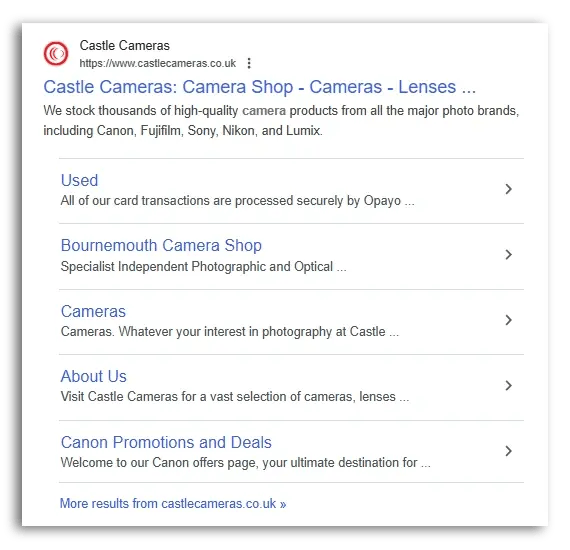
Source: Castle Cameras
These rich results are created based on how Google reads and interprets the information found on your page(s). Search engines are great at identifying a lot of this information on their own, but website operators can help crawlers better understand the content by adding structured data to their HTML. This structured data acts as a kind of “label” for the individual elements on your page so that Google can better understand the content of your page.
Schema.org is the standard most website operators use to “mark up” their website with this structured data.
Tip: Use Google’s free Rich Results Test tool to check your code before implementing it on your site.
We’ve already touched on product reviews and service reviews. Both of these can add relevant keywords to your homepage and product pages. However, this tip focuses on getting a bit deeper into the topic.

Shutterstock/Fox_Ana
When star ratings appear in Google, you obviously want to get as high a rating as possible because search engines are often where shops make their very first impression with customers, and your rating can be the deciding factor if a user clicks on your link or not.
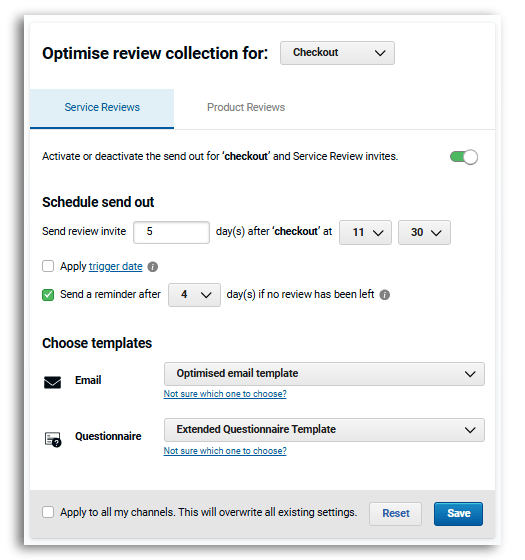
If your customer rating is a bit low, give it a boost! Easier said than done, right? It all begins by being proactive and asking customers for reviews. With the right platform, you can set these invites to go out automatically after every purchase.
Recommended reading:
How to Collect More Online Customer Reviews and Boost Your Business
Optimise the system even further by tweaking the timing of those emails. You can boost response rates by sending the review request at the right time. For example, you’ll want to give the customers a few days to actually use the product, but not wait too long when their enthusiasm has died down. Every industry is a bit different, so you’re encouraged to experiment with those settings.
If someone is researching your company, they might type something like “your shop name + reviews” into Google. There are a few well-known sources that provide reviews for your shop and display a store rating on your behalf. This includes Google itself, but also popular review platforms like Trustpilot (and of course Trusted Shops).
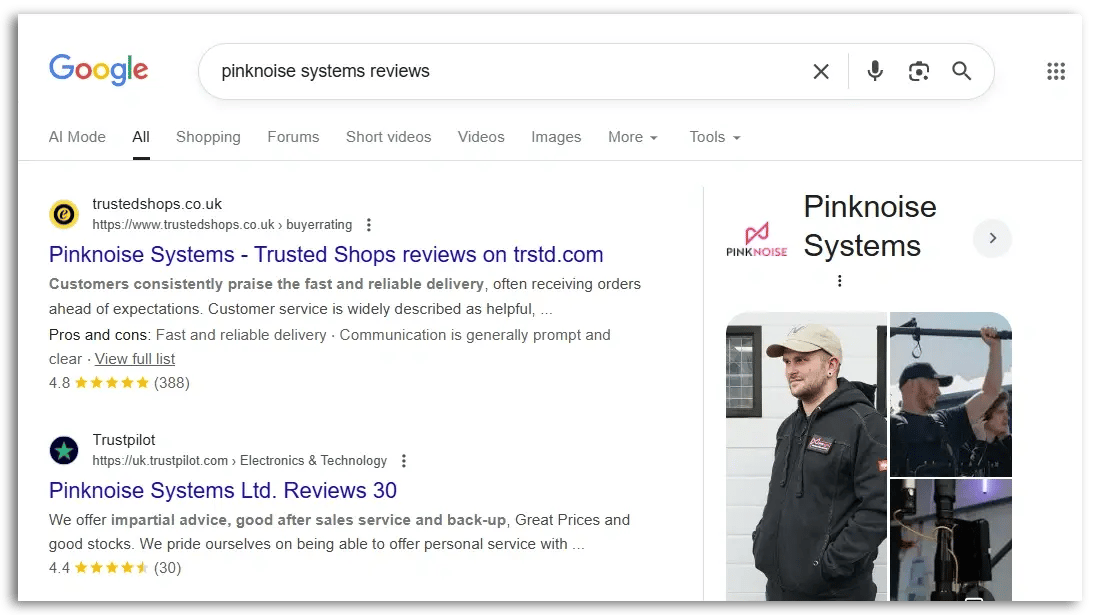
Source: Pinknoise Systems
Having a harmonised reputation on Google is also a trust-builder. On the other hand, if shoppers see a 4.5 rating on one site but a 3.1 on another, this can be a red flag for them. They don't need to be perfectly aligned, but they should be close enough to inspire trust in shoppers.
How do you fix this?
Invite more customers to leave reviews on those review sites. You can do this manually for open review platforms like Trustpilot and Google.
Tip: Tools like the Reputation Manager help you manage this more easily. Simply set your review invites to be dispersed to some of the other platforms and watch your reputation improve and become more consistent.

Although replies are not seen in search engines, there is still an SEO impact if you reply to those reviews with relevant keywords. Don’t go overstuffing keywords into your replies, but speak naturally.
Aside from the SEO impact, you’re also showcasing your customer service to potential customers while strengthening your relationship with the person who left the review in the first place.
Don’t fear the occasional negative review. Use it as an opportunity!
You can create additional content on your website to target other relevant keywords that your other website pages don’t quite rank for.
For example, you can create landing pages targeting certain keywords (e.g. A gift guide for Father’s Day).
A very popular strategy is to create a blog on your website. You can write about topics related to your niche in a longer format and target multiple long tail keywords.
If you give authentic advice and/or cover interesting topics related to your industry, you can build rapport with potential customers while establishing yourself as an expert in the field.
You can include internal links to other articles you write and also to your product pages, but only do this if the product reference really fits the topic and makes sense in the context of the article. Being overly promotional will lead to page exits, which will not boost your ranking.
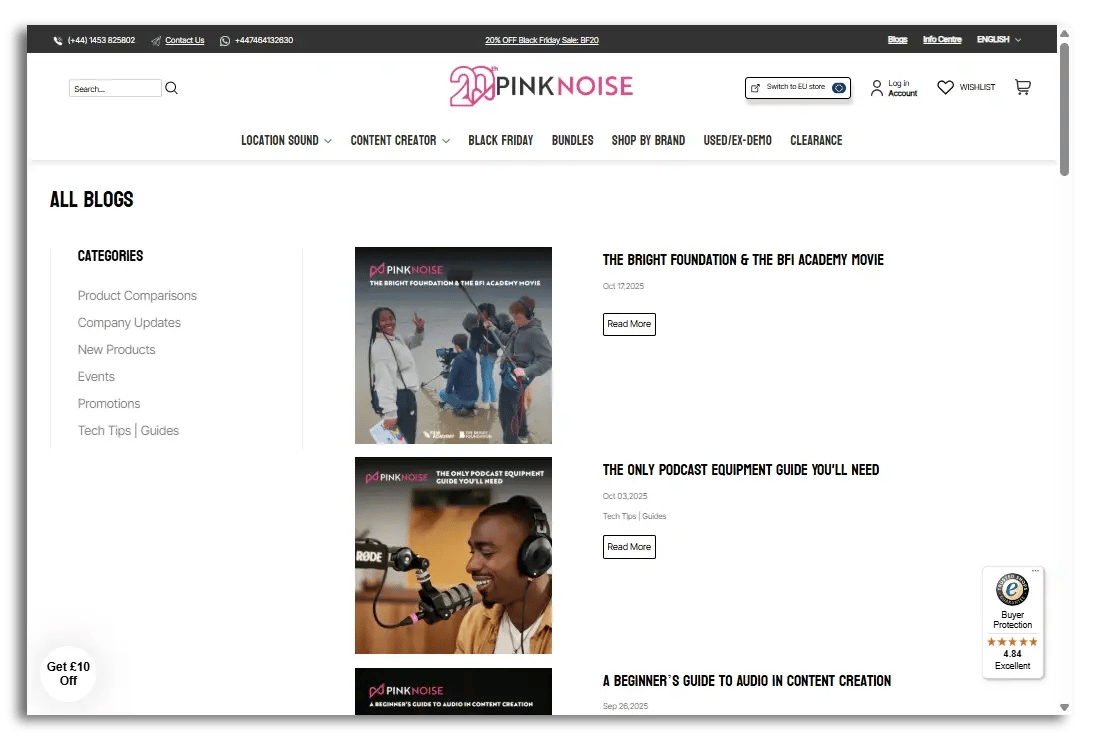
Pinknoise Systems sells high-quality audio gear. They host a blog on their site to cover topics that might be interesting to their target audience.
Take things a step further and push your content on social media. Be where your customers are – so if that’s on Reddit, Facebook or Instagram, make your presence felt and use SEO strategies here (i.e. account names and hashtags).
SEO is not a one-time task. It’s an ongoing process. To understand what’s working and where to improve, you need to monitor your performance regularly. Tracking helps you make data-driven decisions and refine your strategy over time. Here are a few tools to use:
We mentioned this tool briefly in tip #1 when talking about broken links. This free tool from Google also provides insights on how your site appears in search results and highlights issues that may affect your visibility.
Google Analytics helps you understand how visitors interact with your site. You’ll have a good overview of which pages they visit, how long they stay, and where they drop off.
Use SEO tools like Ahrefs, SEMrush, or free alternatives like Ubersuggest to track your keyword positions over time.
Tips:
Despite advances in artificial intelligence, ranking high in Google is still incredibly important. With a combination of technical SEO, content and trust signals, you’ll improve your odds of ranking higher for your most important keywords. It’s a long-term strategy, so don’t feel pressured to change things overnight.